

About the game
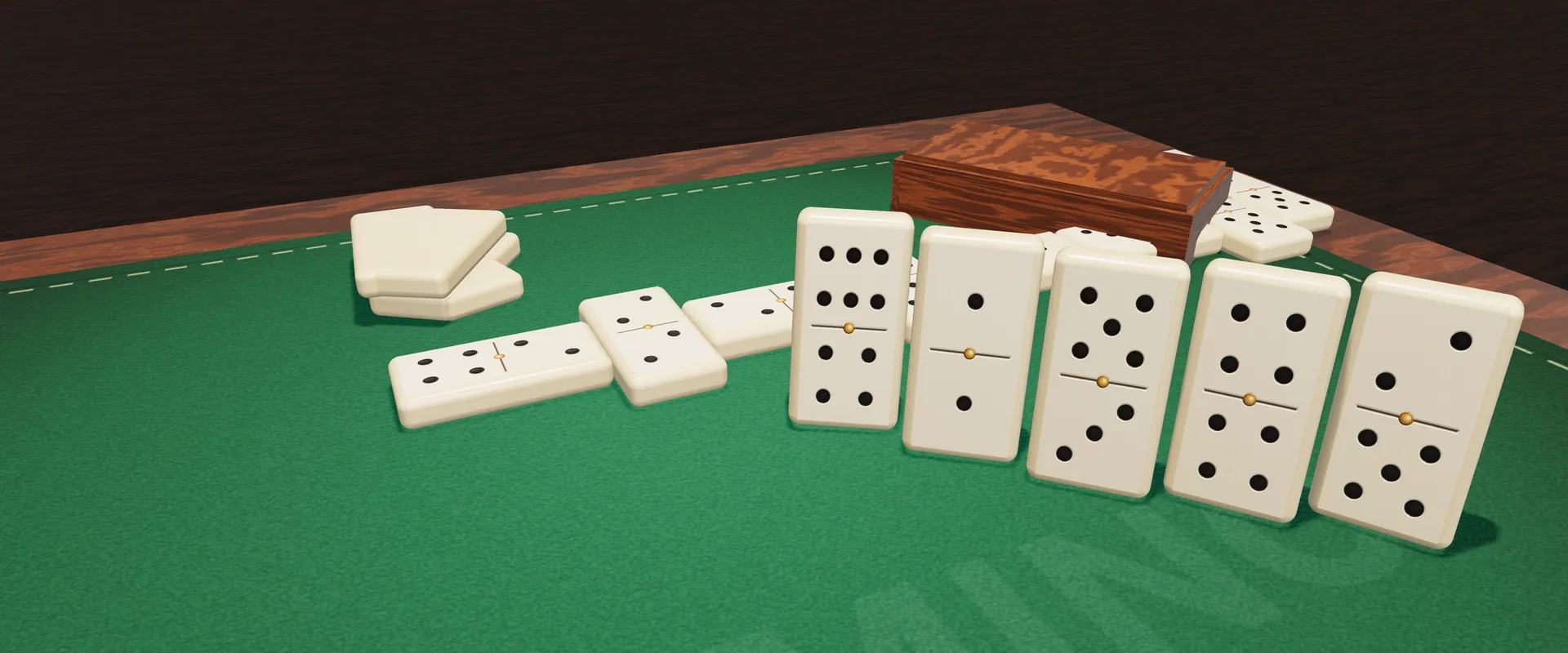
Dominó is the classic table game, every player for themselves, on a 3D wooden table with green felt. The tiles look like bone with a brass pin in the middle. In the first round the little box slides open, the tiles spill out face down and get shuffled before everyone draws their hand. It all runs right in your browser, free, with nothing to install and no account required.
There are two set sizes. The classic game uses the 28 tiles of a double-six set (0-0 to 6-6) for 2 to 4 players. The big table uses the 55 tiles of a double-nine set (up to 9-9) and seats up to 8; with more than 4 players it switches on by itself. Tiles nobody drew stay face down in the boneyard.
You can play against the computer, choosing the table size and how many opponents you want, or with friends online: create a room, send the invite over WhatsApp or share the code, and start when everyone is in. Empty seats can be filled by the computer.
There is no points target: every round you win counts as one victory, rounds keep coming, and the scoreboard shows who has won the most.
Highlights
- 3D table with bone-style tiles and brass pins
- Classic (28 tiles) and big table (55 tiles, up to 8)
- Against the computer, 1 to 7 opponents
- Online rooms with WhatsApp invites and chat
- Drag with a magnet or just tap to play
- Game saved in this browser
How to play
- In the first round, whoever holds the highest double (6-6 in classic, 9-9 at the big table) starts by playing that tile. If it is in the boneyard, the highest double in anyone's hand counts; if nobody has a double, the tile with the most points. In later rounds, the previous winner starts with any tile they like.
- Each player draws 7 tiles. In classic with 4 players it is 6, so there is something left in the boneyard; at the big table with 7 or 8 players it is also 6.
- On your turn, match a tile to one of the two open ends: one of its numbers must equal the number on that end. Tiles you can play rise and glow in your hand.
- If nothing fits, draw from the boneyard, one tile at a time, until you can play. You pick which boneyard tile to take. If the boneyard is empty, use Pass.
- The round goes to whoever dominoes, meaning they play the last tile in their hand.
- If everyone passes in a row, the game is blocked. The lowest hand total wins; on a tie, fewer tiles wins; if still tied, the first player after the one who made the last move.
- The winner adds up the points left in the other hands, and at the end of the round every hand is revealed on the table. The scoreboard counts wins.
Tips
- Get rid of heavy tiles (the high-point ones) early. If the game blocks or someone dominoes, those are the ones that count against you.
- Doubles only fit an end with the same number, so they tend to get stuck. Play yours when you get the chance.
- When choosing an end, try to leave a number showing that you still hold. That way you will have a move next time around.
- Keep track of the numbers already on the table. If almost every tile of a number has been played, leaving it on an end can lock your opponents out.
- Watch each player's name tag, which shows how many tiles they have left. Someone down to one tile is about to domino.
- When the table is close to blocking, the lowest hand takes the round, so it pays to save your light tiles for the end.
Keyboard and mouse
| Click a tile in your hand | Plays the tile if it fits |
| Drag with the mouse | Carries the tile to an open end: close to it, a magnet pulls and turns the tile into place |
| Click a highlighted end | Picks the side when the tile fits both ends |
| Click a boneyard tile | Draws that tile when you have no move |
| Pass | Button that shows up when the boneyard is empty and nothing fits |
| ☰ button | Game menu: continue, restart or leave |
| Sound button | Turns sounds on and off |
Touch on phones
| Tap a tile | Plays the tile if it fits |
| Drag a tile | Carry it to an end; the magnet pulls it in and it settles when you let go |
| Tap a highlighted end | Picks the side when the tile fits both |
| Tap a boneyard tile | Draws the tile you chose |
| Phone in landscape | The table gets longer to use the wide screen |
FAQ
Do I need an account to play?
No. You can play the computer and join friends' rooms with a link or code without an account. Signing in with Google is optional and lets you use Jogali! friend groups, which stay saved and can be called with one tap.
How many people can play?
2 to 4 in classic and up to 8 at the big table. Against the computer you pick 1 to 3 opponents in classic and 1 to 7 at the big table.
How do I play with my friends?
Tap <b>Play with friends</b>, create a private or public room and send the invite over WhatsApp or copy the link. Anyone who arrives mid-round joins the next one. If someone drops, the computer holds their seat so the game keeps going.
What happens when the game is blocked?
Nobody can play and the boneyard is empty. The lowest hand total wins, adding up the pips on the tiles. On a tie, fewer tiles wins.
Does the match ever end?
There is no points target. Rounds keep going and the scoreboard shows how many wins each player has. You can restart and reset the wins from the ☰ menu.
If I close the page, do I lose the game?
No. The game is saved in this browser: against the computer a button lets you continue, and whoever opened a table with friends returns to the same game.