

About the game
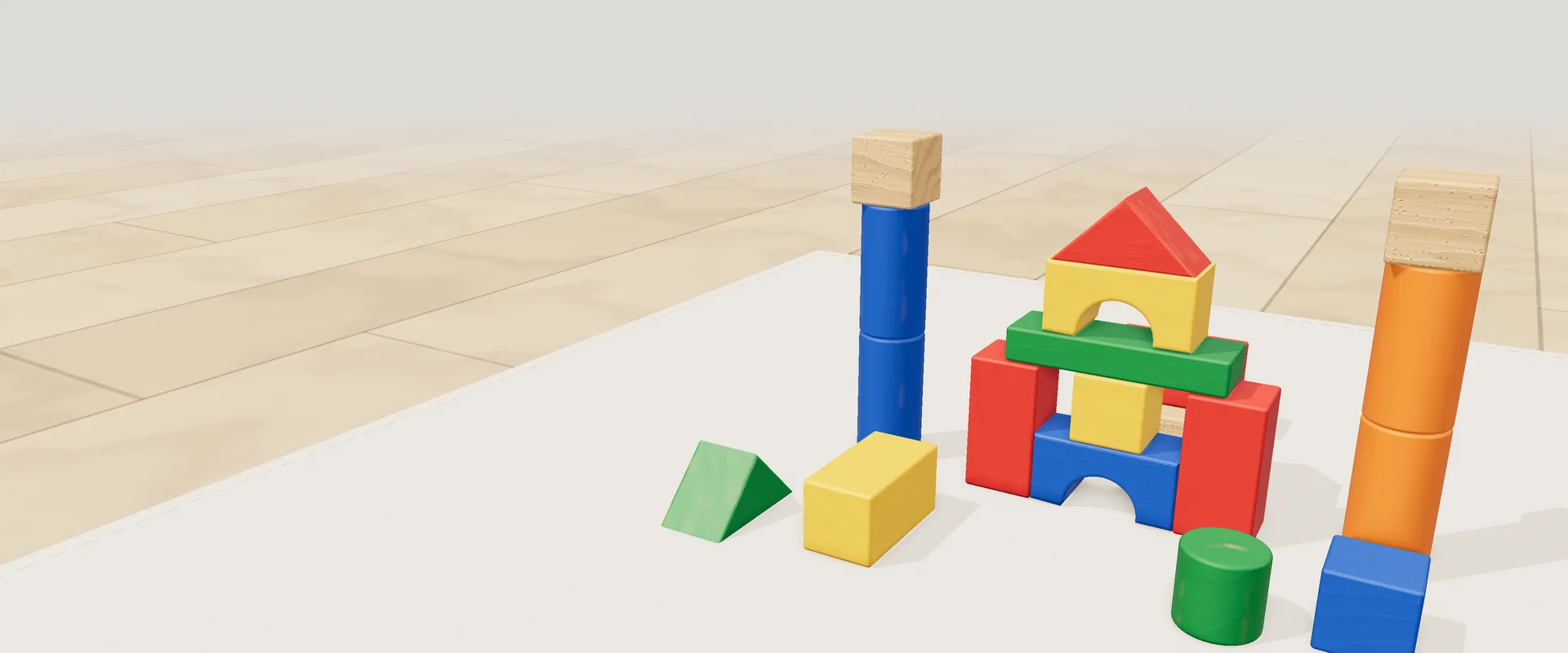
Bloquinhos is a 3D wooden block game for young children. It runs right in your browser, on a phone or a computer, with nothing to install and no account needed. On a grid-patterned mat, the child drags pieces from a tray and builds whatever they like: houses, towers, bridges, castles. The pieces never run out, snap into place easily and behave like real blocks: they stack, balance and tip over when they are poorly supported.
The tray holds 23 pieces: a cube, a half cube, a brick, beams, a plank, a long board, a pillar, a post, a plate, two large bases, a cylinder, a small roller, an arch and two roofs, plus a door, an open window and dollhouse furniture (a stool, a chair, a little table and a bed). There are five colors plus natural wood, with wood grain drawn on every block and wooden sounds each time a piece lands. There are also two toys: a pull-along truck with a string, and Toquinho, a jointed wooden doll.
The first time, Toquinho shows up on the mat and leads a guided tour: with a voice and a little hand pointing on screen, he teaches how to build a dollhouse step by step, from the base to the bed. After that, building is free. With the bring-to-life button, he walks around the build, sits on the chair, lies on the bed, climbs onto the truck, dances, waves and comments, in a grumpy and funny way, on what the child is doing. His recorded lines are in Portuguese.
For parents: the game is designed so a child can play alone, with big icons, a voice that explains and nothing to read, but it is better with someone nearby. Join in during Toquinho's tour, suggest simple challenges (the tallest tower that won't fall, a bridge for the truck, a house with a red door) and talk about what they are building. Wooden blocks are a classic toy: in the 19th century, Friedrich Fröbel, the German educator who created the kindergarten, was already using sets of wooden cubes and bricks with children.
Highlights
- 23 wooden pieces, 5 colors and natural wood
- Pieces that never run out (up to 400 on the mat)
- Real physics: stack, balance and topple
- Toquinho: guided tour and a doll that comes to life
- A voice that explains and a little hand that shows the gesture
- Builds save automatically, plus a photo gallery
How to play
- Tap the play button on the start screen. The first time, Toquinho arrives and starts the tour; the skip and restart buttons sit in the corner, and both ask first with a yes or no.
- Drag a piece from the tray onto the mat. Before you let go, it already shows up exactly where it will land, snapped to the squares of the mat or lined up with nearby pieces. Tapping a piece in the tray, without dragging, drops it on top of the last piece you placed.
- To put a piece on top of another, move your finger to the top of the lower one. To move a piece that is already on the mat, hold your finger still on it for a moment and drag; drop it on the trash can to throw it away.
- Tap a piece to select it: buttons appear to turn, lay down (or stand up), duplicate and throw away. Tapping a color paints the selected piece. The little plates with an arrow and a “+” next to it copy the same piece to that side or on top.
- Swipe on the empty mat to turn the view, use two fingers to zoom in and out, and use the glass bars (at the bottom and on the right) to move sideways or forward and back.
- Turn on the little hand at the top of the screen when you want to knock things down: your finger starts pushing the blocks. With it off, moving a piece never knocks the others over.
- Happy with your build? Tap the camera to save a photo in My builds, where you can open each one again or delete it.
Tips
- Start with a large base (4×4 or 6×4): it gives you solid ground and keeps the walls lined up with the squares of the mat.
- To raise walls quickly, select a cube or a brick and tap the arrow plates: each tap places a matching piece on that side. They only appear on the sides facing you, so turn the view to copy toward the other side.
- Zoom changes precision: from far away, snapping pulls the piece into place more strongly; up close, it goes exactly where your finger is. Zoom in for details and zoom out to build fast.
- To carry a piece over the others, drag it quickly upward: it lifts into the air and a blue mark on the ground shows where it will land.
- Bridges: rest the long board or a plank on two columns of the same height. Snapping looks for the second support and centers the piece, steady on both sides.
- Play together: let the child pick the color and the piece, and only help find the spot. Made a mistake? The undo button takes back the last steps.
Keyboard and mouse
| Drag from the tray | Put a piece on the mat |
| Click a piece in the tray | The piece drops on top of the last one placed |
| Click a piece on the mat | Select it (turn, lay down, duplicate, paint, throw away) |
| Drag a piece on the mat | Move it; drop on the trash can to throw it away |
| Drag on the empty mat | Turn the view |
| Mouse wheel | Zoom in and out |
| Drag with the right button | Slide the view |
Touch on phones
| Drag from the tray | Put a piece on the mat |
| Tap a piece in the tray | The piece drops on top of the last one placed (you can build a tower just by tapping) |
| Tap a piece | Select it and show the buttons |
| Hold still and drag | Pick up and move a piece or a toy |
| Swipe on the mat | Turn the view |
| Two fingers | Zoom in, zoom out and slide the view |
| Glass bars | Move sideways (bottom) or forward and back (right) |
FAQ
Does my child need to read to play?
No. The buttons are big icons, a voice says what to do and a little hand shows the gesture on screen. Yes-or-no questions are read aloud too.
Do I need an account?
No. Just open it and play in the browser. Signing in with Google on Jogali! is optional, and Bloquinhos has no leaderboard, chat or online mode.
Are the builds saved?
Yes, on this device. The build on screen saves itself, and every photo taken with the camera goes to My builds, which keeps up to 60. When you start a new build, the previous one goes to the gallery if it changed since the last photo. Clearing your browser data erases everything.
What does the child practice while playing?
They drag and drop, fit pieces together, pick colors, compare sizes, see what stays up and what falls, and follow simple steps in Toquinho's tour. It is a building game, like playing with real blocks, not a program with goals, grades or assessments.
How do I skip Toquinho's tour?
During the tour there is a skip button in the corner of the screen. It asks first; say yes and building becomes free. The button next to it erases everything and starts the tour again.
Can I turn off the sound or the voice?
Yes. Settings has one switch for sound and another for the helper voice. With sound off, Toquinho stays quiet too.