

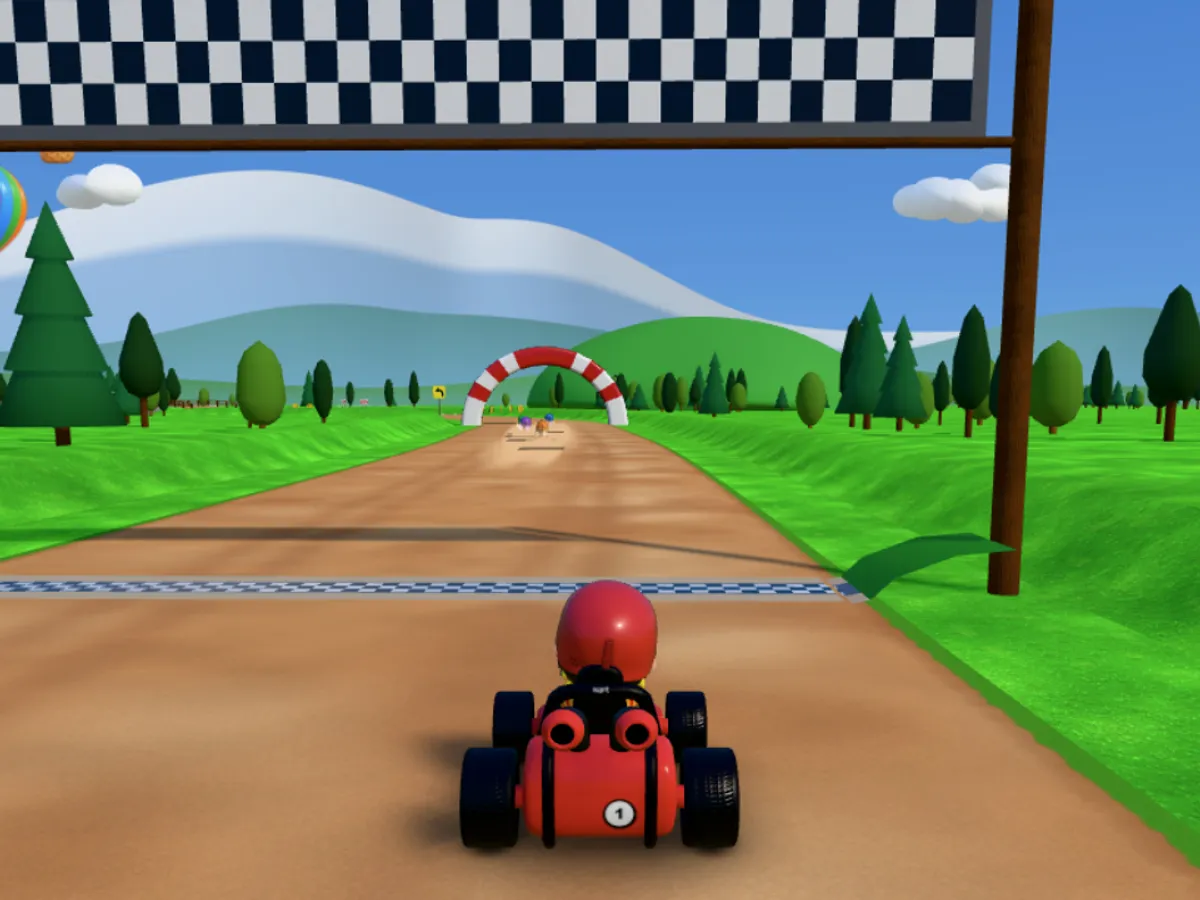
About the game
Vrumi Kart is a 3D kart race that runs right in your browser, with nothing to install and no account needed. It was designed for young children: big buttons, simple controls and a track that helps those who are still learning. Pick one of six drivers, hop in the kart and line up against five other racers.
There are three tracks, each with its own level: Lighthouse Track (easy, 952 m of dirt road with a mountain tunnel, a jump ramp, a bridge over a creek, swinging hammers and the lighthouse by the lake), Viaduct Valley (medium, 731 m of asphalt with a bridge over the lake, bumps and a banked turn) and Abyss Canyon (hard, 1,340 m with a loop, a gap jump and the big jump over the abyss). Before the start, choose 1, 3 or 5 laps.
There are two ways to play. In Solo Race you take on five computer drivers. In Race with Friends up to six people race together online, each on their own device, with a group ranking and optional voice chat during the race.
At the end of every race the top three climb the podium and celebrate, and the game keeps your best time for each track and lap count. If the kart falls off a bridge or a jump, it is put back on the track by itself: nobody gets stuck. The game text is available in Portuguese, English and Spanish.
Highlights
- 3 tracks: easy, medium and hard
- Races of 1, 3 or 5 laps, with a record for each
- 6 drivers to choose from
- Race with up to 5 friends, group ranking and optional voice
- Help for little ones: a voice that explains and a hand that points
- On-screen joystick, keyboard or game controller
How to play
- Tap Race! and pick Solo Race or Race with Friends.
- On the Choose a track screen, swipe through the cards, pick 1, 3 or 5 laps and tap Race.
- After the countdown, hit the gas. On a phone, put your finger on the left side of the screen: a circle appears right there. Up speeds up, sideways steers and down brakes and reverses.
- Drive through coins (up to 10), chests and the green boost strips on the ground. When the boost button on the right is full, tap it for extra speed.
- Watch out for the hammers on Lighthouse Track: a kart that gets hit bounces, spins and loses speed.
- Finish all the laps. The first to cross the line wins, and the top three go to the podium.
Tips
- The boost button refills by itself in about 10 seconds. Every coin you carry makes the boost last longer: from 1.4 seconds with no coins up to 2.6 seconds with all 10. Collect coins before you use it.
- Chests give an instant boost plus two coins. They are worth a small detour.
- Save the boost for straights and for the run-up to jumps and loops. Fired in the middle of a tight turn, it sends the kart into the wall.
- If you let go of the steering, the kart slowly lines itself up with the track. In turns, steer early and gently instead of yanking at the last second.
- Computer drivers ease off when they are far ahead and push harder when they fall behind, so races stay close to the end. Don't give up on the final lap.
- For parents: with very young kids, start with Lighthouse Track and 1 lap, and turn on Auto accelerate in Settings. The kart drives on its own without pushing the circle, so the child only has to steer.
Keyboard and mouse
| ↑or W | Accelerate |
| ← →or A D | Steer |
| ↓or S | Brake and reverse |
| Spaceor Shiftor K | Use the boost (when it is full) |
| Escor P | Pause |
| ← →andEnter | Switch tracks and confirm on the track screen |
| Game controller | Stick steers, A or right trigger accelerates, B or left trigger brakes, RB or X boosts |
Touch on phones
| Touch the left side | The steering circle appears where your finger lands |
| Push the circle up | Accelerate |
| Push sideways | Steer |
| Push down | Brake and reverse |
| Boost button (right) | Boost, when the ring is full |
| Hold the 🎤 | Talk to friends in the room (Race with Friends) |
FAQ
Do I need an account to play?
No. Solo Race works right away, no sign-up. To race with friends, just type the driver's name; the photo is optional and only friends in the room see it.
How do I race with friends?
Tap Race with Friends and create a group: give it a name, pick the track and invite friends on WhatsApp or share the 6-character code. Up to 6 drivers fit. Everyone uses their own device and needs an internet connection. Empty spots only get a computer driver if you turn on the Fill empty spots with computer drivers switch, which starts off.
How does the group ranking work?
In races with two or more people, each place is worth points: 1st 10, 2nd 6, 3rd 4, 4th 3, 5th 2 and 6th 1. The ranking shows the group's podium and the latest races.
My child can't read yet. Can they play?
The Help for little ones option in Settings starts on: a voice says what to do and a little hand shows where to tap on the menu screens. To race with friends, the game asks a grown-up to type the child's name.
How does voice chat with friends work?
It only exists in Race with Friends. The child holds the 🎤 button to talk, and only people in the same room hear it; the game records nothing. Tapping a friend mutes them. The Voice with friends option starts on and can be turned off in Settings. We recommend that an adult keeps an eye on who joins the room.
Does it work on phones?
Yes. The game is played with the phone held sideways; if it is upright, the screen asks you to turn it. It also works on computers with a keyboard or controller.